What is Risk
Risk is a web application designed for visual modelling and probabilistic risk calculation, built to support decision-making in high-stakes environments such as space missions, banking and insurance. The application is built on a domain model that serves as the foundation for a visual DSL (Domain-Specific Language), seamlessly integrated with a powerful web diagramming library. It is created using the Daga library as a graphical editor foundation, combined with a frontend-oriented architecture that leverages modern technologies such as Angular and TypeScript to handle interaction, visual modelling, import/export and probabilistic calculations directly in the browser. Its core objective is to make complex risk models accessible to any user, regardless of their technical background. By bridging the gap between raw statistical data and intuitive visual diagrams, Risk empowers analysts and decision-makers to understand intricate probabilistic relationships, explore uncertainty scenarios and make faster, safer and more informed decisions.
Use Cases
- Visual risk modelling in event chains.
- Calculating probabilities in sequential processes (quality control, supply chains, cybersecurity, clinical trials, etc.).
- Analysing causal networks with partial evidence using Bayesian networks.
- Risk estimation in systems with uncertainty (space missions, launch abort, capsule recovery, etc.).
- Probability learning from real data (CSV).
How to use it
- Learn by changing the examples: The home page includes ready-to-open examples for each mode. This is the quickest way to understand the notation.
- Choose a mode from the sidebar: Binomial or Bayesian.
- Build your diagram by dragging nodes onto the canvas and connecting them. The calculation updates in real time.
- Edit the values (weights or probability tables) directly on each element.
- Import / Export your model as a '.json' file ('RiskFile') to save or share it.
- Calculate the results and review them in the results sidebar.
Risk Syntax
Binomial Distribution
Every node in the Binomial mode has a specific type (start, state, event or end) that determines its role in the process and how it can be connected to other nodes. The probability of each event node is calculated as the product of the probabilities of all the connected event nodes, multiplied by the relative weights of the connections. The syntax is quite strict, as there are specific rules for how to connect the nodes, but it is designed to be intuitive and easy to use for modelling sequential processes with probabilistic events. The general guideline is to use the start node to begin the process, event nodes to represent probabilistic decisions, state nodes to represent non-random steps or conditions, and end nodes to represent the outcomes or end points of the process.
Each node has minimum two parameters that can be edited: the name and the number.
Node Start
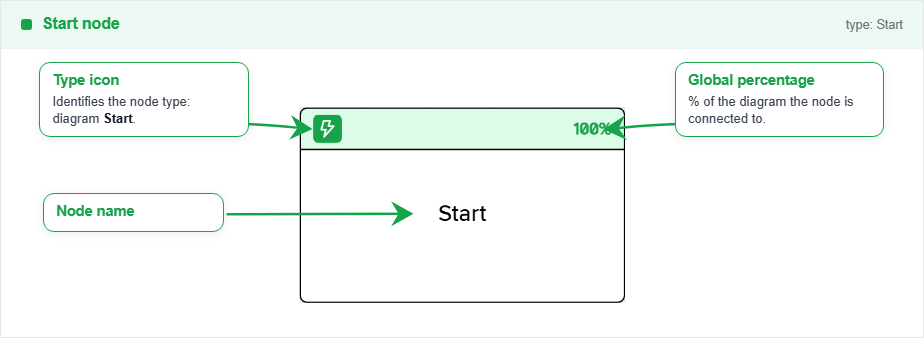
The start node represents the entry point of the process. Use it to start the flow. It does not represent a probabilistic event, only the origin of the process.
Only outputs are allowed from this node, and it can only be connected to state nodes. It does not have any parameters apart of the name or the number to edit.
Node State
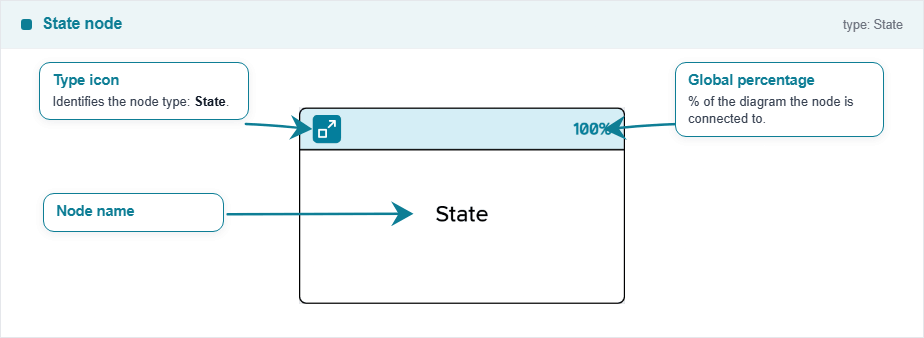
The state node represents a state in the process. It can be connected to any other node type, but it is recommended to connect it only to event nodes. It has an implicit 100% probability of success, so it just shows a state change in the process, but it does not represent a probabilistic event by itself.
Inputs and outputs are allowed from this node. It does not have any parameters apart of the name or the number to edit.
Node Event
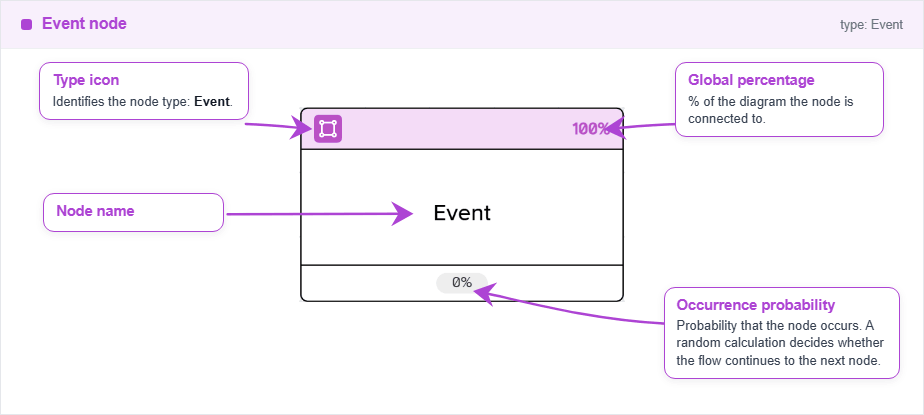
The event node represents a probabilistic event in the process. It can be connected to any other node type, but it is recommended to connect it only to state or event nodes. It has a probability parameter, apart from the name and the number, that can be edited directly on the node, and it represents the probability of success of the event.
Inputs and outputs are allowed from this node. The global probability of the event is calculated as the product of the probabilities of all the connected events, so it is not possible to have a probability higher than 100% in any case.
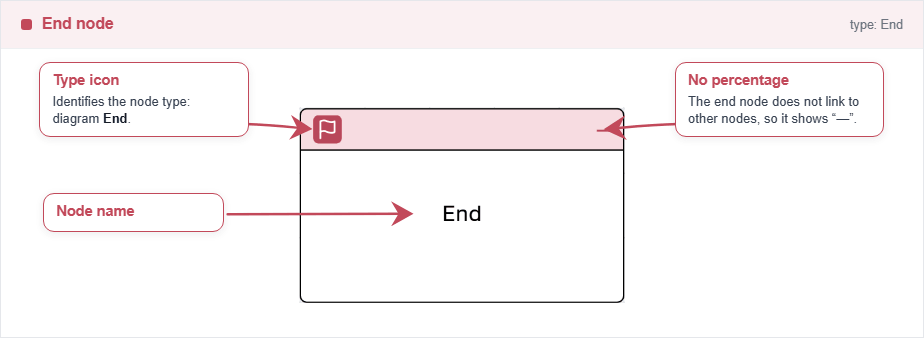
Node End
The end node represents the end point of the process. Use it to finish the flow. It does not represent a probabilistic event, only the end of the process.
Only inputs are allowed to this node, and it can only be connected from event and state nodes. It does not have any parameters apart of the name or the number to edit.
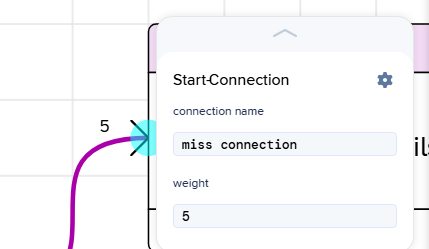
Connections
Each connection has a weight (default is 1) that determines the relative probability of taking that branch compared to its siblings. The probability of each branch is calculated as the weight of the connection divided by the total weight of all outgoing connections from the same node.
Rule of thumb: use Start to begin, Event for each success/failure decision with its probability, State for non-random steps, and End to close each outcome.
Bayes Distribution
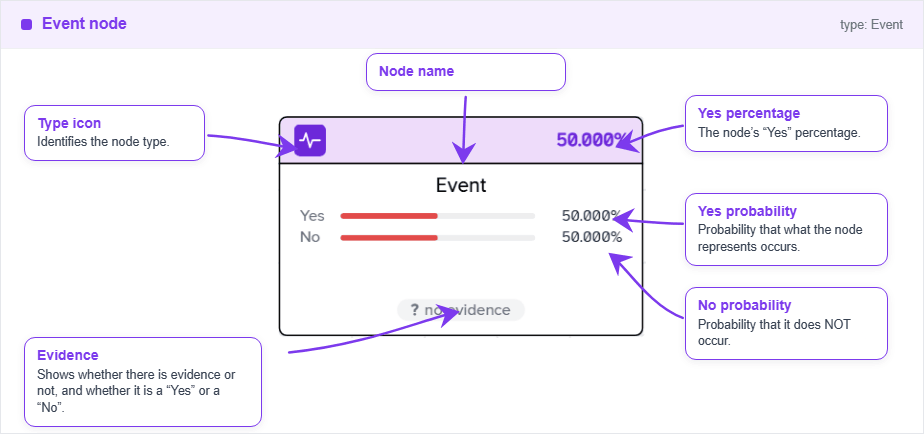
Every node in the Bayesian mode represents a probabilistic event, and the connections between them represent causal relationships. The probability of each node is calculated based on the probabilities of its parent nodes and the conditional probability table defined for that node. The syntax is more flexible than in the Binomial mode, as there are no restrictions on how to connect the nodes, but it is recommended to follow the general guidelines of connecting causes to effects and effects to events.
Each node has a probability table that can be edited directly on the node by double-clicking it, where you can define the probability of the node being true for each combination of its parent nodes. If a node has no parents, it is considered a root node and its probability table will have only one entry representing its prior probability. On this interface, you can change the evidence by just clicking on one of the three options: true, false or unknown. This will set the node as evidence and update the probabilities of all the nodes in the network accordingly.
To change the node name, simply click on the node and type the new name.
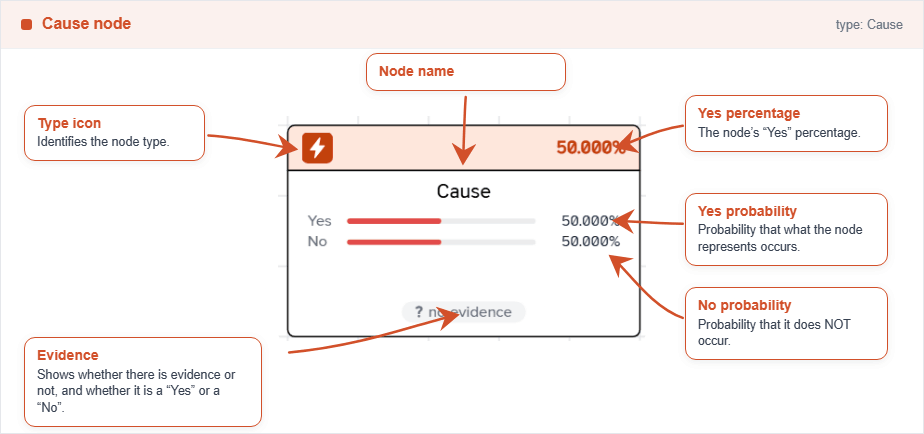
Node Cause
The cause node represents a cause in the causal network. Usually, it is the root node of the model, a variable that does not depedend on others (it has no parents). It can be connected to any other node type, but it is recommended to connect it only to effect or other cause nodes.
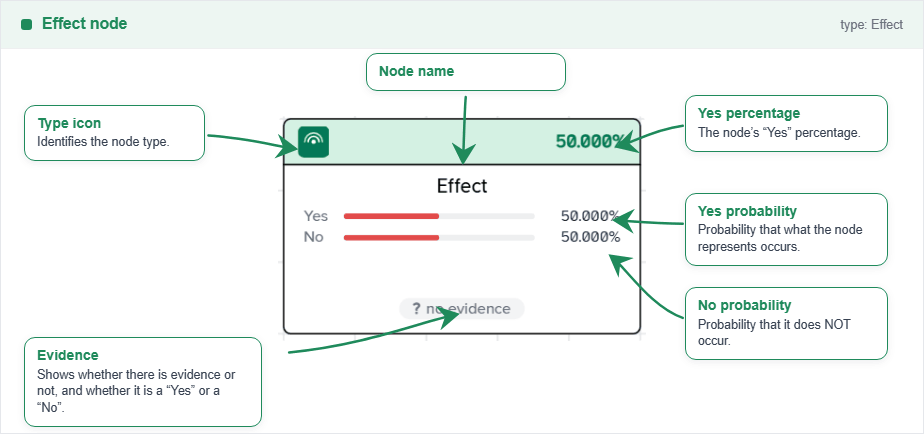
Node Effect
The effect node represents an effect in the causal network. Usually, it is an effect or outcome that depends on the state of its parents. This may be an intermediate node or a final node you are interested in consulting. It can be connected to any other node type, but it is recommended to connect it only to event or other effect nodes.
Node Event
The event node represents a probabilistic event in the causal network. Usually, it is a final node you are interested in consulting. It can be connected to any other node type, but it is recommended to connect it only to event nodes.